
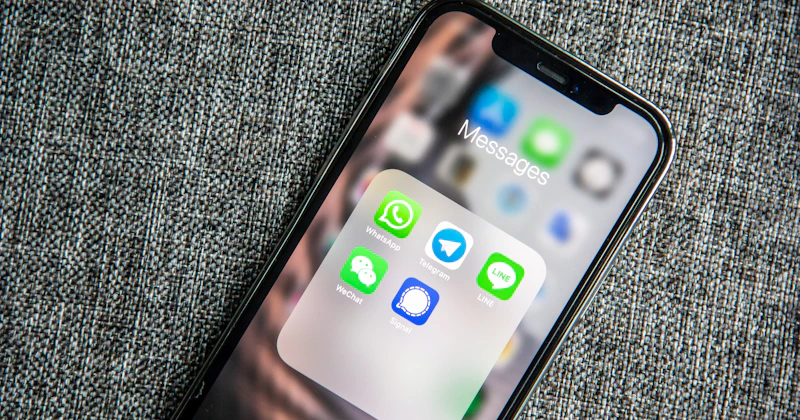
WhatsApp has over 2 billion active users worldwide. In markets like Portugal and Brazil, it is the dominant messaging channel — ahead of email, phone calls, and certainly ahead of contact forms. If your customers are already on WhatsApp, why put a barrier between them and your business?
Adding WhatsApp to your website removes friction and invites visitors to reach out in the way that feels most natural to them. The result is more conversations, more leads, and a faster path to closing a sale or booking a service.
Why WhatsApp Outperforms Traditional Contact Forms
Contact forms have their place, but they carry psychological weight. Visitors have to stop, fill in fields, hit submit, and then wait — not knowing when (or if) you'll reply. WhatsApp feels completely different.
Immediacy is the first advantage. Users expect a response quickly, and they know WhatsApp will deliver their message instantly. That immediacy builds confidence and keeps them engaged with your brand.
Trust and approachability are equally important. A WhatsApp chat feels personal and human — not like submitting a ticket. For B2C businesses especially, that personal touch converts significantly better than a generic form submission.
Finally, mobile compatibility seals the deal. More than 60% of web traffic today comes from smartphones. WhatsApp is a native mobile experience — tapping a button and opening a chat takes two seconds. Filling in a form on mobile takes two minutes of frustration.
Four Ways to Integrate WhatsApp on Your Website
1. Direct Link (wa.me)
The simplest option requires zero technical knowledge. WhatsApp provides a universal link format: https://wa.me/351XXXXXXXXX. Replace the number with your full international format phone number (no plus sign, no spaces).
You can also pre-fill the message the user sees when the chat opens, by adding a text parameter: https://wa.me/351XXXXXXXXX?text=Hello%2C+I'd+like+to+know+more+about+your+services. URL-encode your message — spaces become +, commas become %2C, and so on. This small detail dramatically improves conversion because the user does not have to think about what to write.
Use this as a button in your hero section, footer, or contact page. It works on any platform — WordPress, static HTML, Wix, or anything else.
2. Floating Button (Most Effective)
A floating button sits fixed in the bottom-right (or bottom-left) corner of every page on your site. It is always visible, always one tap away. This is the approach that generates the most leads because it does not require the user to navigate to a contact page.
The implementation uses a small block of HTML and CSS: a fixed-position <div> styled as a green circle containing the WhatsApp icon, with an anchor tag pointing to your wa.me link. A subtle pulse animation draws the eye without being intrusive.
The key technical details: use position: fixed; bottom: 24px; right: 24px; z-index: 9999; so the button stays on top of all other elements. Set a size of around 56px, use WhatsApp's official green (#25D366), and include border-radius: 50% for the circular shape.
For WordPress sites, this can be added via a plugin or directly in your theme's functions.php. For custom sites, it goes in the global footer template so it appears on every page.
3. Widget with Name Capture
A step up from the plain button, this approach shows a small popup that asks for the visitor's name before opening WhatsApp. The benefit: you have context before the conversation starts, and you can personalise your greeting.
Tools like WATI and Tidio offer ready-made widgets with this functionality. You can also build a custom lightweight version using a small JavaScript form that constructs the wa.me URL dynamically, inserting the name into the pre-filled message text.
4. WhatsApp Business API
For high-volume businesses, the official API unlocks chatbots, CRM integration, automated flows, and multi-agent support. This is the enterprise option — it requires a verified business account and comes with per-message costs. For most SMEs, the floating button or widget is the right starting point.
Best Practices to Convert More Conversations into Clients
The button alone is not enough. How you handle the conversation determines whether a visitor becomes a lead or disappears. Here are the practices that make the biggest difference:
- Pre-written message: use a welcoming opener like "Hello, I'd like to know more about [your business name]". This lowers the barrier — the user just taps Send.
- Automated greeting message: set up a WhatsApp Business auto-reply that fires the moment someone opens a chat. Acknowledge them immediately, even outside business hours.
- Away message: configure an away message for evenings and weekends, telling people when to expect a reply. This manages expectations and prevents frustration.
- Respond within 30 minutes: during business hours, this is the benchmark. Faster responses lead to higher conversion rates and better customer satisfaction scores.
- Complete business profile: add your logo, business description, website URL, address and category in the WhatsApp Business app settings. A complete profile builds trust before the conversation even starts.
The Results You Can Expect
The data on this is consistent. Businesses that add a WhatsApp button report a 25–40% increase in inbound contacts within the first month. The sales cycle shortens because conversations happen in real time — questions are answered immediately instead of waiting for an email reply the next morning.
For service businesses in particular — consultants, clinics, agencies, freelancers — WhatsApp turns a passive website into an active lead generation channel. Visitors arrive, they see a familiar green button, and they reach out with a fraction of the resistance they would have towards a contact form.
The compounding effect matters too. Every conversation opens a relationship. Returning clients can message you directly from their chat history. Referrals can be shared with a simple link. Your WhatsApp number becomes a business asset.
Getting It Right From the Start
The technical integration of a WhatsApp button is straightforward. The strategic layer — the pre-filled messages, the automated replies, the response protocols, and the placement on your site — is where the real conversion gains come from.
If you want your website to work harder for your business — whether that means adding WhatsApp, improving your contact page, or building a full lead generation system — our web development services cover all of it.
Ready to add WhatsApp to your site today? Contact us on WhatsApp now and we'll walk you through the best approach for your specific setup. Yes — we use exactly what we recommend.